

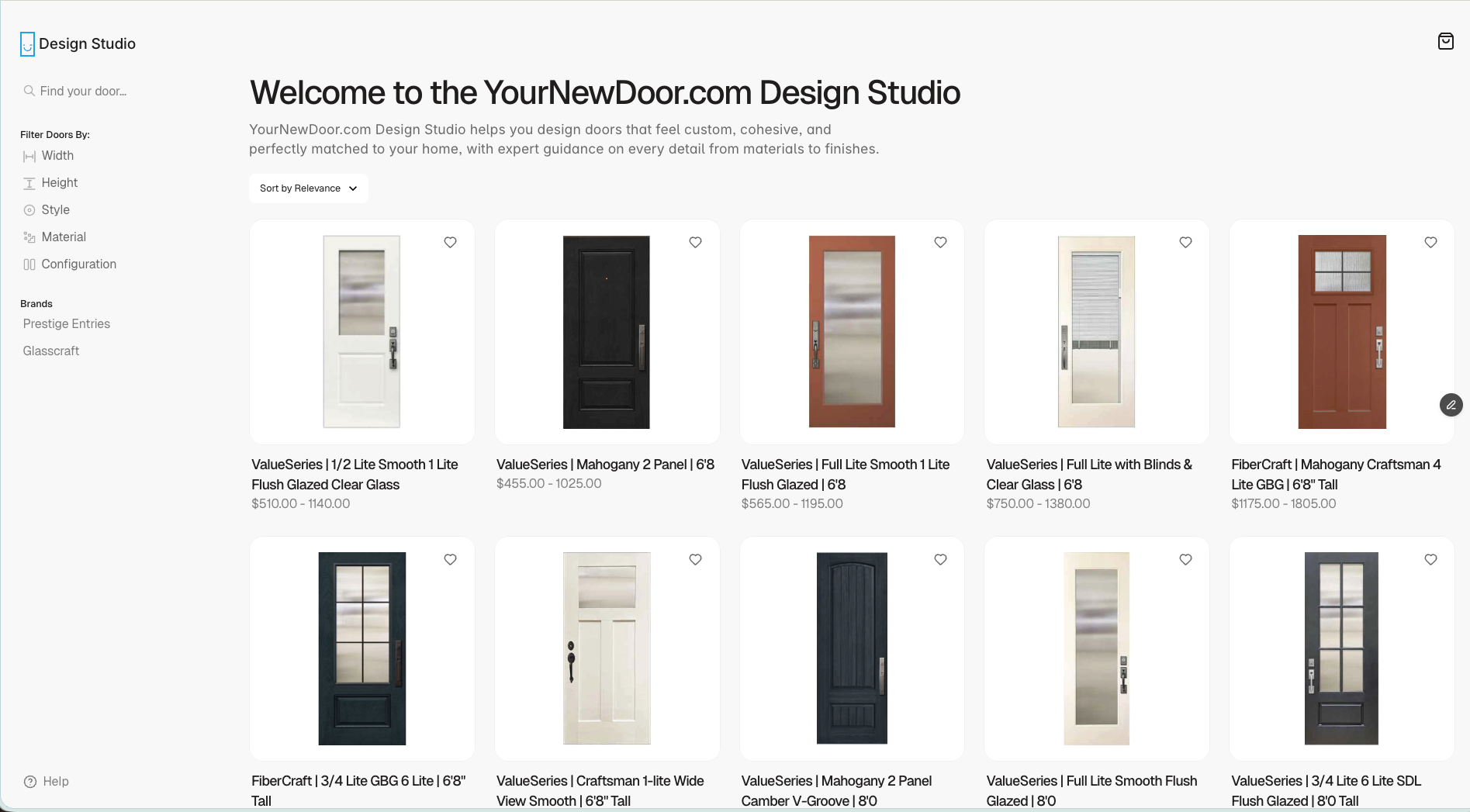
Welcome to the YourNewDoor.com Design Studio
The Design Studio is your all-in-one workspace for building beautiful door configurations, organizing client projects, and submitting production-ready orders — all from a single, streamlined platform. Whether you’re a sales rep quoting a new customer, a designer speccing out a custom entry door, or an ops team member pushing an order through to fulfillment, this documentation hub has everything you need.New here? Start with Design Studio Basics to get familiar with the platform before diving into specific workflows.
What you can do
Create Doors
Build door designs step-by-step — choose styles, materials, colors, glass, and hardware.
Manage Projects
Organize, filter, and collaborate on door projects across your entire pipeline.
Complete Orders
Turn approved designs into accurate, production-ready orders ready for fulfillment.
Getting started
Who this documentation is for
Who this documentation is for
This hub is designed for everyone who touches the door sales and fulfillment process:
- Sales reps — quickly quote and configure doors for customers
- Designers — build and refine custom door specifications
- Operations teams — validate and submit orders for production
- Managers — review project pipelines and track order status
The three core workflows
The three core workflows
Everything in the Design Studio revolves around three workflows:
- Creating a door — Configure a door from scratch or from a saved template, selecting all style and hardware options.
- Managing a project — Organize designs by customer or job, track statuses, and collaborate with your team.
- Completing an order — Review specs and pricing, run through the readiness checklist, and submit for production.
Tips before you begin
Tips before you begin
- Make sure you have the correct role and workspace access before starting (see Roles & Permissions).
- Familiarize yourself with key terms like project, variant, preset, and order in the Platform Overview.
- If you run into issues, check Common Issues & Fixes before reaching out to support.
Documentation structure
1
Design Studio Basics
Get oriented with the platform — learn key terms, understand user roles, and confirm your workspace access is set up correctly.Pages: Platform Overview · Roles & Permissions · Environment & Access
2
Creating Doors
Go from a blank canvas to a fully specified door design. Start a new project, configure every option, work with templates, and review pricing.Pages: New Door Project · Door Configuration · Templates & Presets · Pricing & Options
3
Sorting & Managing Projects
Keep your pipeline clean and organized. Learn how to use statuses, tags, filters, and collaboration tools to manage every project from quote to approval.Pages: Project List & Views · Statuses & Lifecycle · Tags, Filters & Search · Collaboration & Notes
4
Completing Orders
Submit clean, error-free orders every time. Run through the readiness checklist, handle revisions, and connect to downstream systems.Pages: Order Readiness Checklist · Submitting Orders · Revisions & Change Orders · Exports & Integrations
Explore by section
Design Studio Basics
Platform Overview
Learn what the Design Studio is and how it fits into the YourNewDoor.com ecosystem.
Roles & Permissions
Understand what each team role can see and do inside the platform.
Environment & Access
Log in, switch workspaces, and confirm you have the right access level.
Creating Doors
New Door Project
Start a new door design, attach it to a customer or job, and set base parameters.
Door Configuration
Configure size, handing, material, style, color, glass, and hardware options.
Templates & Presets
Create and reuse standard configurations for faster, more consistent quoting.
Pricing & Options
See how pricing updates live as you configure and how to apply discounts or fees.
Sorting & Managing Projects
Project List & Views
Customize views, sort columns, and save filters for fast access to your pipeline.
Statuses & Lifecycle
Move projects through each stage so everyone sees accurate, up-to-date progress.
Tags, Filters & Search
Use tags and filters to instantly surface the right project at the right time.
Collaboration & Notes
Add comments, internal notes, and attachments to keep all context in one place.
Completing Orders
Order Readiness Checklist
Step-by-step checklist to validate specs, pricing, and install details before submitting.
Submitting Orders
Learn how to submit an order and what happens on the production side after you do.
Revisions & Change Orders
Update existing orders safely if a customer changes their mind after submission.
Exports & Integrations
See how orders are shared with vendors, installers, or connected external systems.
Advanced workflows & FAQs
Shortcuts & power-user tips
Shortcuts & power-user tips
Learn keyboard shortcuts, cloning patterns, and other time-savers that experienced Design Studio users rely on to move faster through their workflow.
Common issues & how to fix them
Common issues & how to fix them
Quick fixes for the most common problems: missing configuration options, incorrect pricing calculations, orders stuck in a status, and more.
Frequently asked questions
Frequently asked questions
Browse answers to frequently asked questions about the Design Studio, data management, team permissions, and platform integrations.
Start with the Basics
New to the Design Studio? Start here for a full platform orientation.
Jump into Creating Doors
Already familiar with the platform? Go straight to building your first door design.